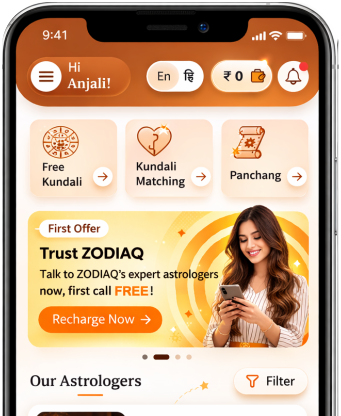
How to register as an astrologer in ZODIAQ
By Pt. Amitabh Sharma
step-by-step guide to understanding and using Register as an Astrologer feature in ZODIAQ.

Table of Contents
Welcome to ZODIAQ. This guide will help you register as an astrologer on the website and access the exclusive tools designed for astrologers.
1. Using the Hamburger Menu
On Desktop
- On the left-hand side menu scroll to the bottom.
- You will find the option "Register as Astrologer".
- Click it and you will be redirected to the registration page.
On Mobile
- In the top right corner you will see the hamburger menu with three horizontal lines.
- Tap it to open the list of important sections.
- Scroll down and find "Register as Astrologer".
- Tap the option to open the registration page.
2. Registration Page
When the registration page opens enter the following details
- Full Name
- Age
- Experience as an Astrologer
- Areas of Expertise 5a and 5b
- Phone Number
Note
- You must select up to three areas of expertise.
- After entering your phone number an OTP will be generated and sent to your number.
- Enter the OTP on the screen.
- Once verified you will be redirected to your Astrologer Home Screen.
To understand how to use your astrologer's home screen read the next guide.
FAQs
1. Can I edit my areas of expertise later
Yes you can update them whenever needed.
2. What if I do not receive the OTP
You will have an option to resend the OTP after a short wait.
3. How many expertise fields can I choose
You can select up to three fields.
4. Can I start using astrologer features immediately after registration
Yes once your OTP is verified you are taken directly to your astrologer home screen.
5. Can I change my phone number later
For security reasons the phone number cannot be changed after registration.
Get your accurate Kundali
Generate KundaliDid you like it?
Author

Pt. Amitabh Sharma (56 Years)
Experience: 20
Consults About: Family Planning, Career
Clients In: Punjab, Haryana, Delhi
Share this article with friends and family
About ZODIAQ
ZODIAQ is an online Vedic Astrology platform. It connects clients seeking astrological advice to experienced astrologers with deep knowledge. Our users also generate kundali and perform kundali milan for free. ZODIAQ also offers services to the Astrologers. Astrologers utilize various offerings by ZODIAQ to serve their clients effectively.
If you are a User
Consult with experienced astrologers and seek their guidance. You can also order handwritten Janm Patrika report with life prediction prepared by experienced astrologers. Generate accurate Kundali, perform Kundali Matching and check horoscope and muhurat. Utilize our online library for all the necessary astrological and spiritual information.
If you are an Astrologer
Create accurate kundali for your clients and perform Kundali Matching for up to 5 people at a time. Write comprehensive Janm Patrika report for your clients with ZODIAQ. Check client details anytime by saving it in client directory. Become more productive by tracking how many clients you guide every day.
WELCOME TO
ZODIAQ
Right Decisions at the right time with ZODIAQ