How to Use the My Profile Page on ZODIAQ: A Simple Guide for Astrologers
By Pt. Amitabh Sharma
Step-by-step instructions to personalize your profile, access saved kundalis and articles and make the most of ZODIAQ’s offerings.
Table of Contents
The My Profile page is your personal space on ZODIAQ where you can update details, view saved Kundlis, access saved articles and use all essential tools of the platform.
1. Filling and Editing Your Profile Information
On the My Profile page you can edit
- Name
- Date of Birth
- Birth Time
- Birth Place
- Age
- Astrology Experience
- Areas of Expertise
Note that your phone number cannot be changed after registration.
2. My Saved Kundlis
This section contains all Kundlis you have created as well as all matching reports.
It helps you keep track of your work and quickly access any Kundli when needed.
3. My Saved Articles
Here you can view all articles you saved on ZODIAQ.
This is useful for study reference and continuous learning.
4. Offerings for Astrologers
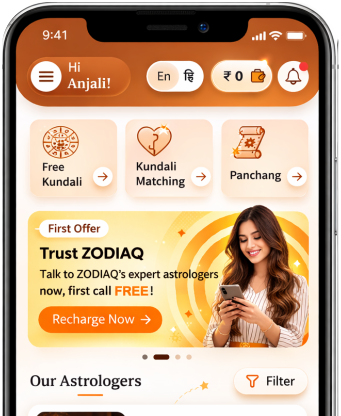
Quick links to free tools are available on your profile page
- Free Kundli
- Free Kundli Matching
- Generate Horoscope
- Free Panchang
Simply click any service to access it directly.
5. Frequently Asked Questions FAQs
This section provides simple answers to common questions to help you resolve issues quickly.
6. Stay Connected
- This section includes
- Terms and Conditions
- Support Phone Number
- Support Email
- Instagram and YouTube links
These help you stay connected with the ZODIAQ community and support team.
Using the My Profile page helps you organize your information, streamline your workflow and stay connected with the platform. The support team and FAQs are always available whenever you need assistance.
FAQs
1. Can I edit all details in my profile
You can change your name, date of birth, time, place, experience and expertise but the phone number cannot be changed.
2. Where can I find my saved Kundlis
In the My Saved Kundlis section where all created Kundlis and matching reports are stored.
3. Can I read my saved articles anytime
Yes you can revisit them whenever you want.
4. How do I use free offerings on my profile
Click any quick link on the profile page to access the service directly.
5. How can I contact ZODIAQ support
Through the support phone number email Instagram or YouTube links.
Get your accurate Kundali
Generate KundaliDid you like it?
Author

Pt. Amitabh Sharma (56 Years)
Experience: 20
Consults About: Family Planning, Career
Clients In: Punjab, Haryana, Delhi
Share this article with friends and family
About ZODIAQ
ZODIAQ is an online Vedic Astrology platform. It connects clients seeking astrological advice to experienced astrologers with deep knowledge. Our users also generate kundali and perform kundali milan for free. ZODIAQ also offers services to the Astrologers. Astrologers utilize various offerings by ZODIAQ to serve their clients effectively.
If you are a User
Consult with experienced astrologers and seek their guidance. You can also order handwritten Janm Patrika report with life prediction prepared by experienced astrologers. Generate accurate Kundali, perform Kundali Matching and check horoscope and muhurat. Utilize our online library for all the necessary astrological and spiritual information.
If you are an Astrologer
Create accurate kundali for your clients and perform Kundali Matching for up to 5 people at a time. Write comprehensive Janm Patrika report for your clients with ZODIAQ. Check client details anytime by saving it in client directory. Become more productive by tracking how many clients you guide every day.
WELCOME TO
ZODIAQ
Right Decisions at the right time with ZODIAQ