Using the Generate Kundali Feature in ZODIAQ
By Pt. Amitabh Sharma
A step-by-step guide on using Generate Kundali feature
Table of Contents
Welcome to ZODIAQ! In this article, we will go over how to use the Generate Kundali feature.
1. Entering the Details
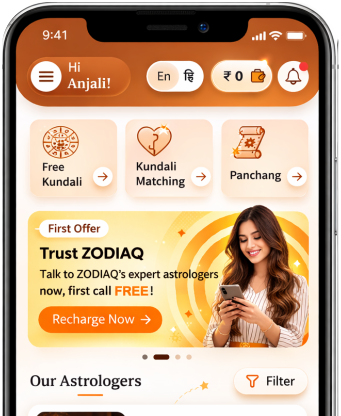
- Navigate to the ‘Generate Kundali’ icon and open the section.
- Once inside, you will need to add all basic details required to generate a Kundali
- Once all details are entered correctly, click on ‘Generate Kundali’ option.
NOTE: You can retrieve details from the previous sessions, using the ‘Import saved details’ option.
2. Result Generation
Once result is generated, you will be able to see all the basic details in the ‘Basic Info’ tab.
Other versions of results are in the following format:
- Charts
- Dasha
- AshtakVarga
- KP System
- Friendship
Get your accurate Kundali
Generate KundaliDid you like it?
Author

Pt. Amitabh Sharma (56 Years)
Experience: 20
Consults About: Family Planning, Career
Clients In: Punjab, Haryana, Delhi
Share this article with friends and family
About ZODIAQ
ZODIAQ is an online Vedic Astrology platform. It connects clients seeking astrological advice to experienced astrologers with deep knowledge. Our users also generate kundali and perform kundali milan for free. ZODIAQ also offers services to the Astrologers. Astrologers utilize various offerings by ZODIAQ to serve their clients effectively.
If you are a User
Consult with experienced astrologers and seek their guidance. You can also order handwritten Janm Patrika report with life prediction prepared by experienced astrologers. Generate accurate Kundali, perform Kundali Matching and check horoscope and muhurat. Utilize our online library for all the necessary astrological and spiritual information.
If you are an Astrologer
Create accurate kundali for your clients and perform Kundali Matching for up to 5 people at a time. Write comprehensive Janm Patrika report for your clients with ZODIAQ. Check client details anytime by saving it in client directory. Become more productive by tracking how many clients you guide every day.
WELCOME TO
ZODIAQ
Right Decisions at the right time with ZODIAQ